File Requests or how to receive files from anyone
We’re excited to introduce File Requests, a new feature that lets you receive files from anyone directly into your cloud storage.
How it works
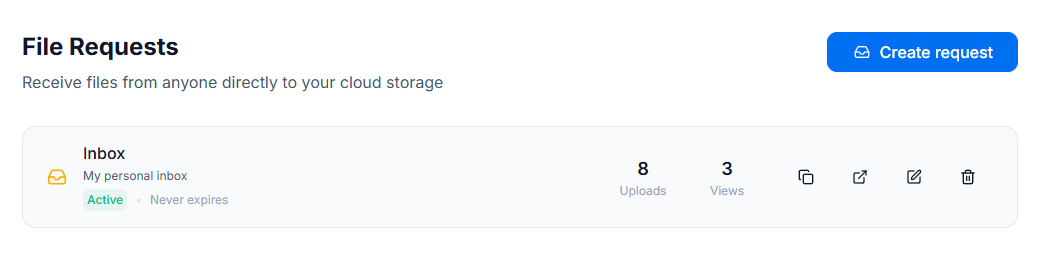
With File Requests, you generate a unique upload link that you can share with clients, collaborators, or anyone else. They simply open the link, select their files, and upload. The files land directly in the folder you chose on your cloud provider.
No sign-up, no login, no friction for the uploader.
Full control over uploads
Each file request can be configured with:
- Password protection to restrict access to authorized users only.
- Expiration date to automatically disable the link after a set date.
- File type restrictions to accept only specific formats (e.g.,
.pdf,.jpg). - Maximum file size to set a limit per uploaded file.
- Upload limit to cap the total number of files allowed.
A clean upload experience
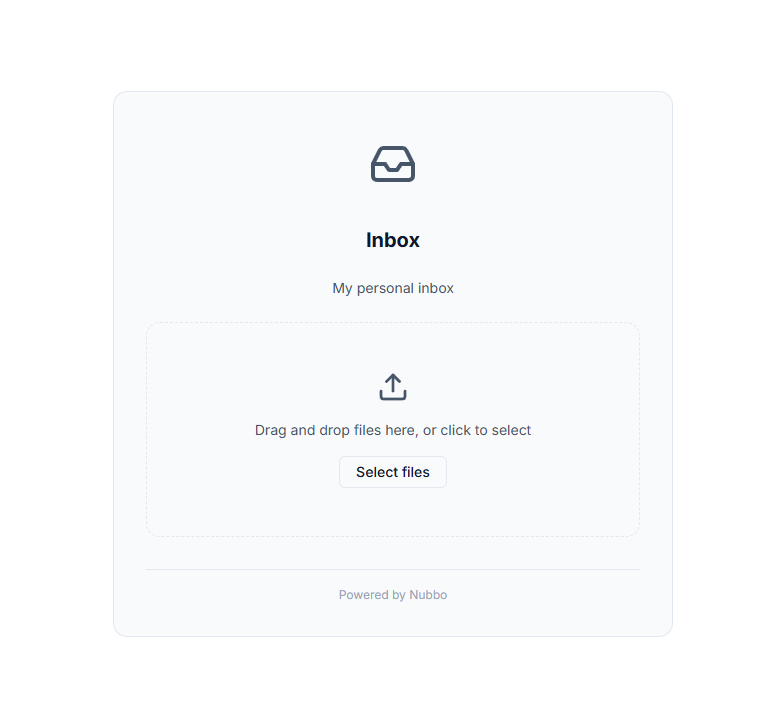
Uploaders get a simple, distraction-free page where they can drag and drop files or browse to select them. The page shows upload progress, file validation, and clear error messages if something doesn’t meet the requirements.
Use cases
- Freelancers and agencies: receive deliverables, contracts, or documents from clients without sharing your cloud credentials or relying on email.
- Distributed teams: centralize document collection from external collaborators, vendors, or partners into an organized folder.
- Photographers and creatives: let clients upload raw images, videos, or reference materials directly to your professional storage.
- Educators and trainers: receive assignments, projects, or submissions from students in an organized and hassle-free way.
Get started
File Requests are available now for all Nubbo users. Head to the File Requests section in your sidebar to create your first one.