Play Your Music Without Losing Sight of Your Files
Nubbo now includes a floating mini-player, playback queues, and waveform visualization — so you can listen to your audio in the background while you keep browsing your files.
Visual waveform
The first thing you’ll notice is the new waveform visualization. Instead of a flat progress bar, the player now displays the actual waveform of the audio file. You can see the structure of a song at a glance and click anywhere to jump to that position.
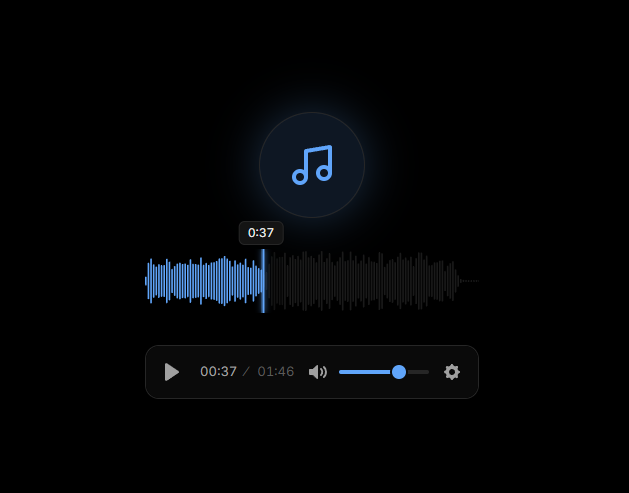
The waveform shows three states: what’s been played, what’s buffered, and what’s still loading. It’s especially useful for podcasts and long recordings where you need to seek with precision.
Floating mini-player
This is the main feature. When you play an audio file, Nubbo shows a compact mini-player in the bottom corner of the screen.
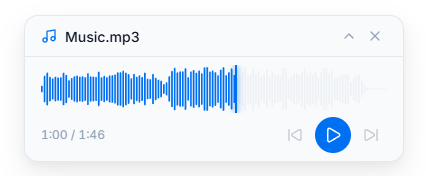
The mini-player includes everything you need: playback controls, current time, interactive waveform, and auto-advance. And most importantly — it persists as you navigate. You can switch folders, explore another provider, or go to the dashboard, and your music keeps playing.
You can switch between the mini-player and the fullscreen view at any time, and vice versa.
Playback queue
Build a playback queue with whatever files you want. Add tracks on the fly without interrupting what you’re listening to, play entire folders of audio at once, or keep adding songs as you browse across different providers.
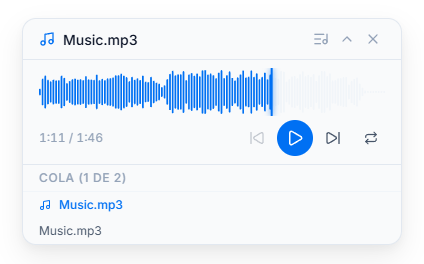
- Navigate the queue by skipping between tracks with previous and next.
- Auto-advance — when a track ends, the next one kicks in automatically.
- Repeat what you want — add the same file multiple times if you need to.
- Queue view — expand the full track list from the mini-player or from the sidebar in fullscreen view.
Want to try it? Sign in to Nubbo and right-click any audio file in your buckets.