Integrations

Nubbo in your AI assistant

Connect Claude, ChatGPT or Cursor and ask for whatever you need from your storage.

Included inProTeams

What you can do

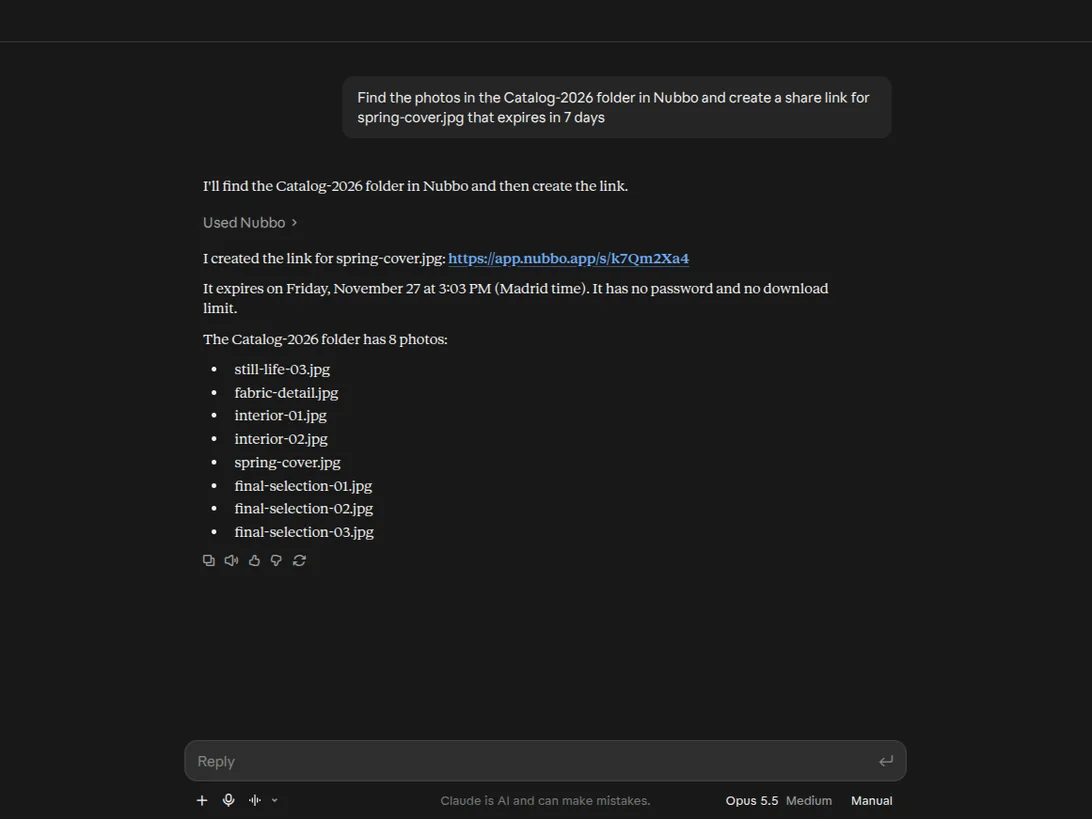
Ask in your own words

Get the most out of your storage easily from a conversation.
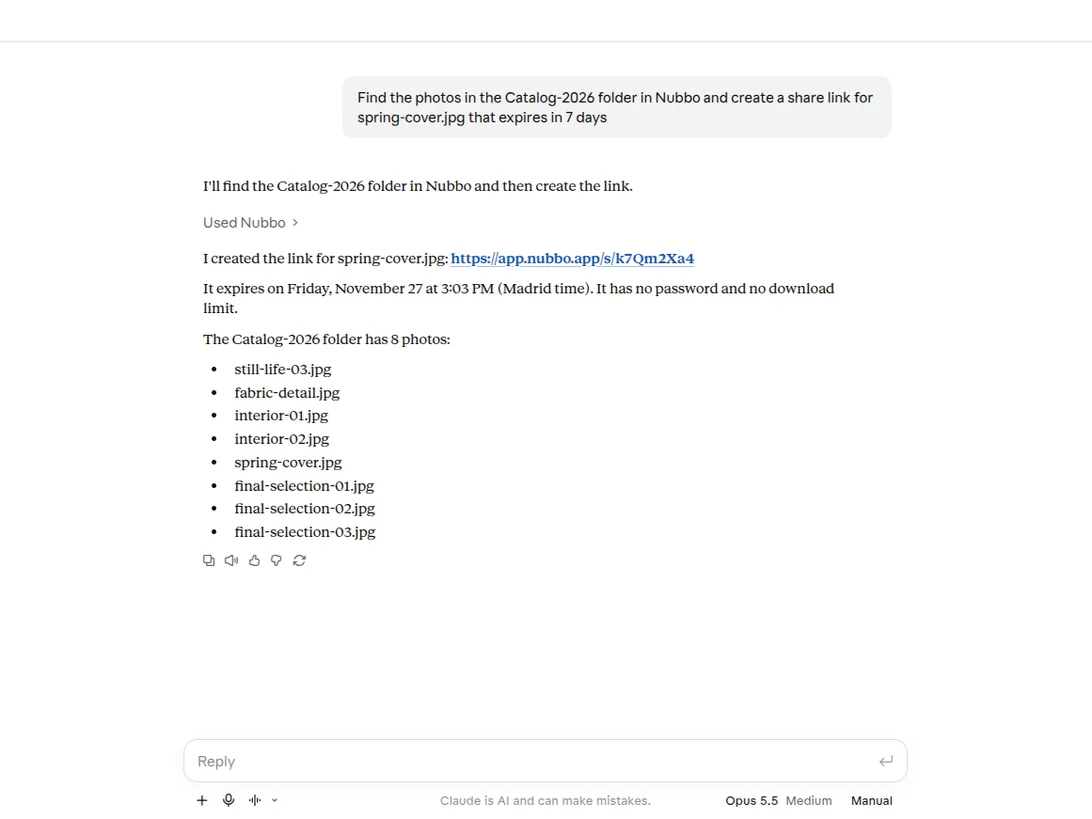
Claude creates a share link with NubboClaude creates a share link with Nubbo

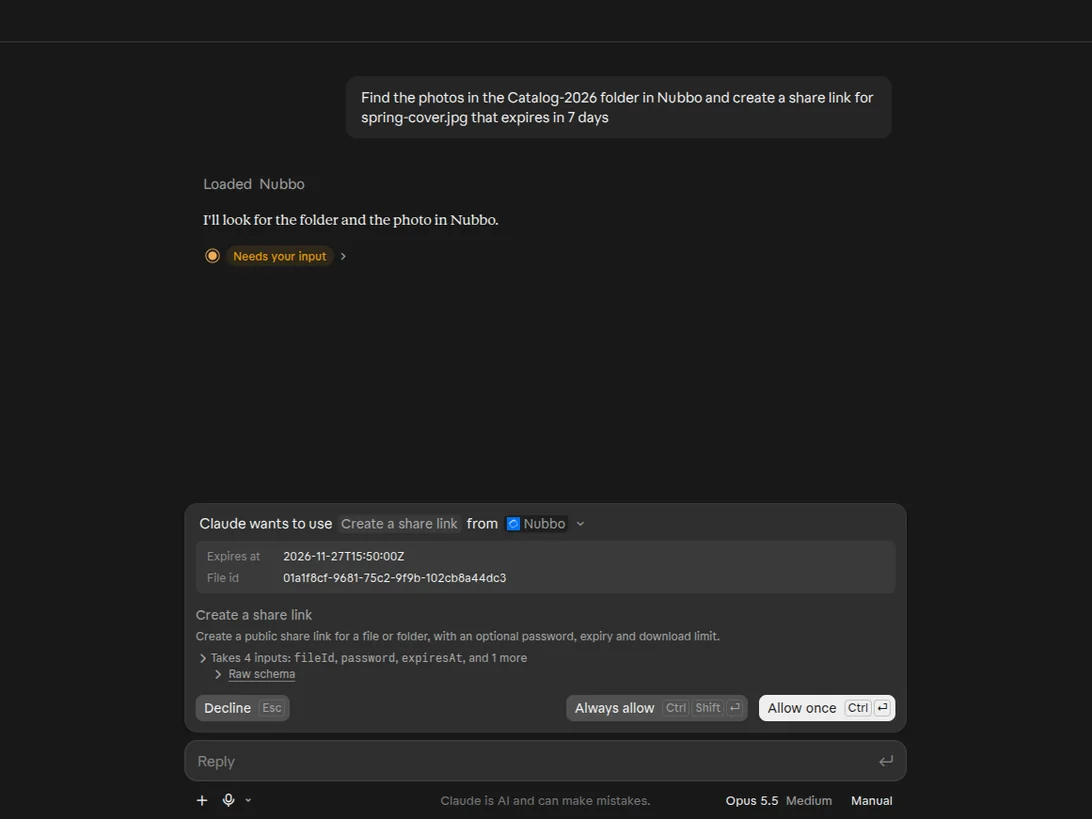
You decide the access

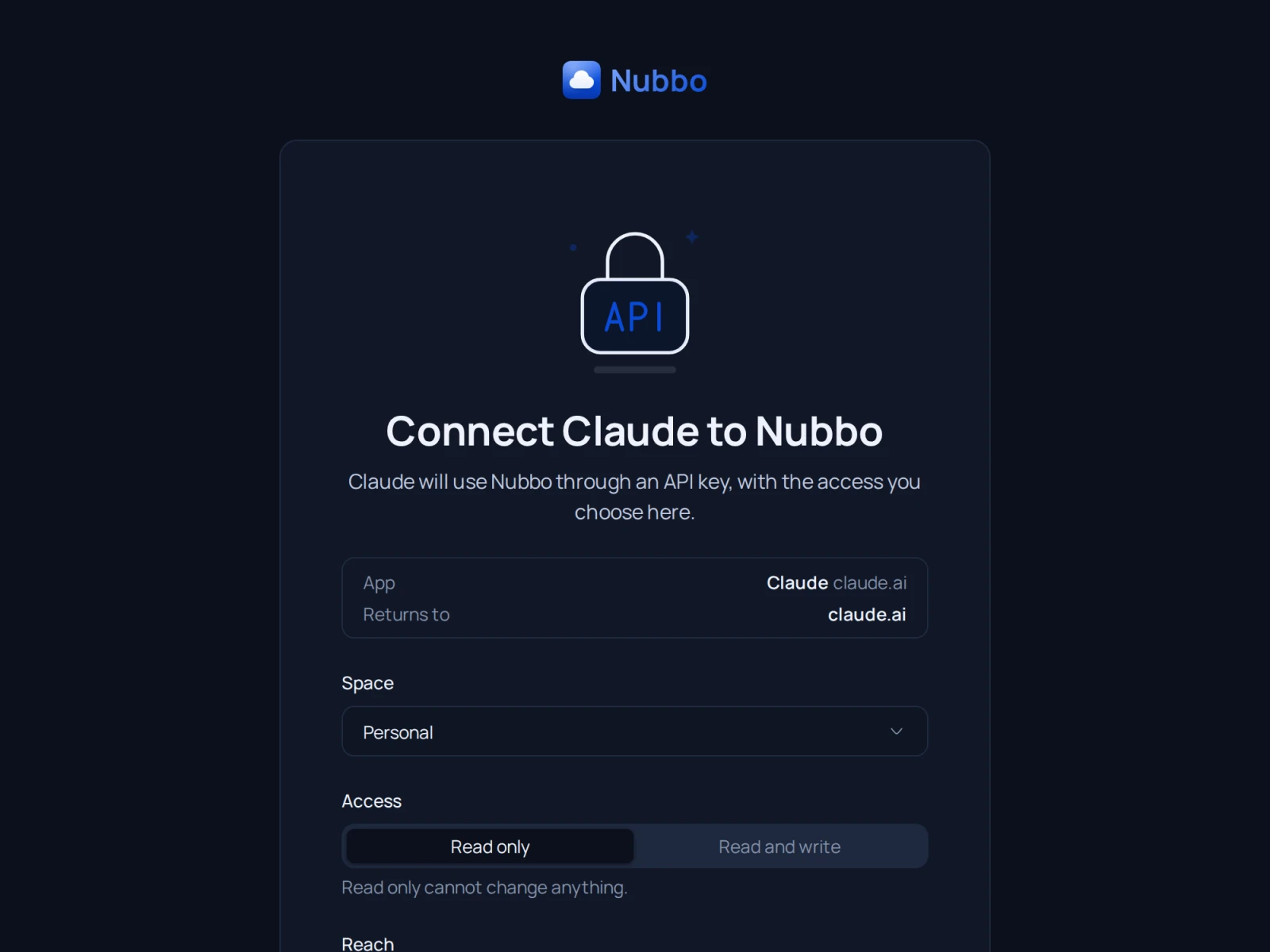
You choose the space, the access and the buckets your assistant can use when you connect it.
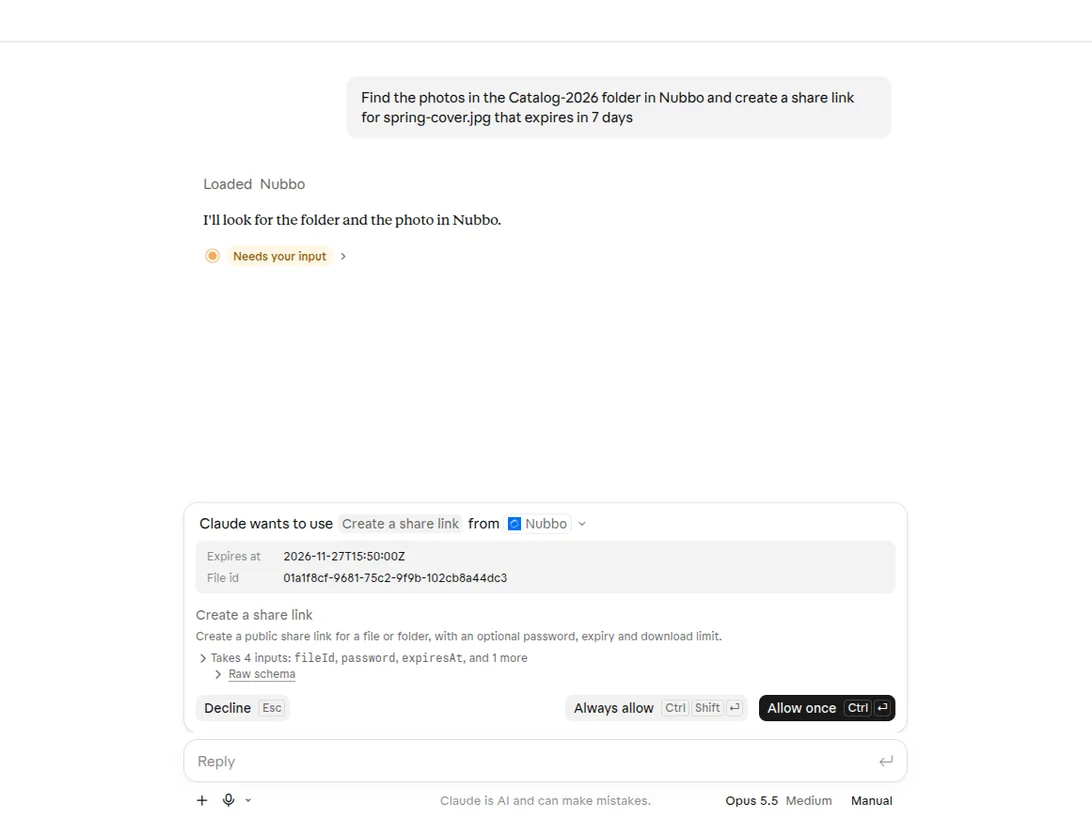
Claude asks for permission to use a Nubbo toolClaude asks for permission to use a Nubbo tool

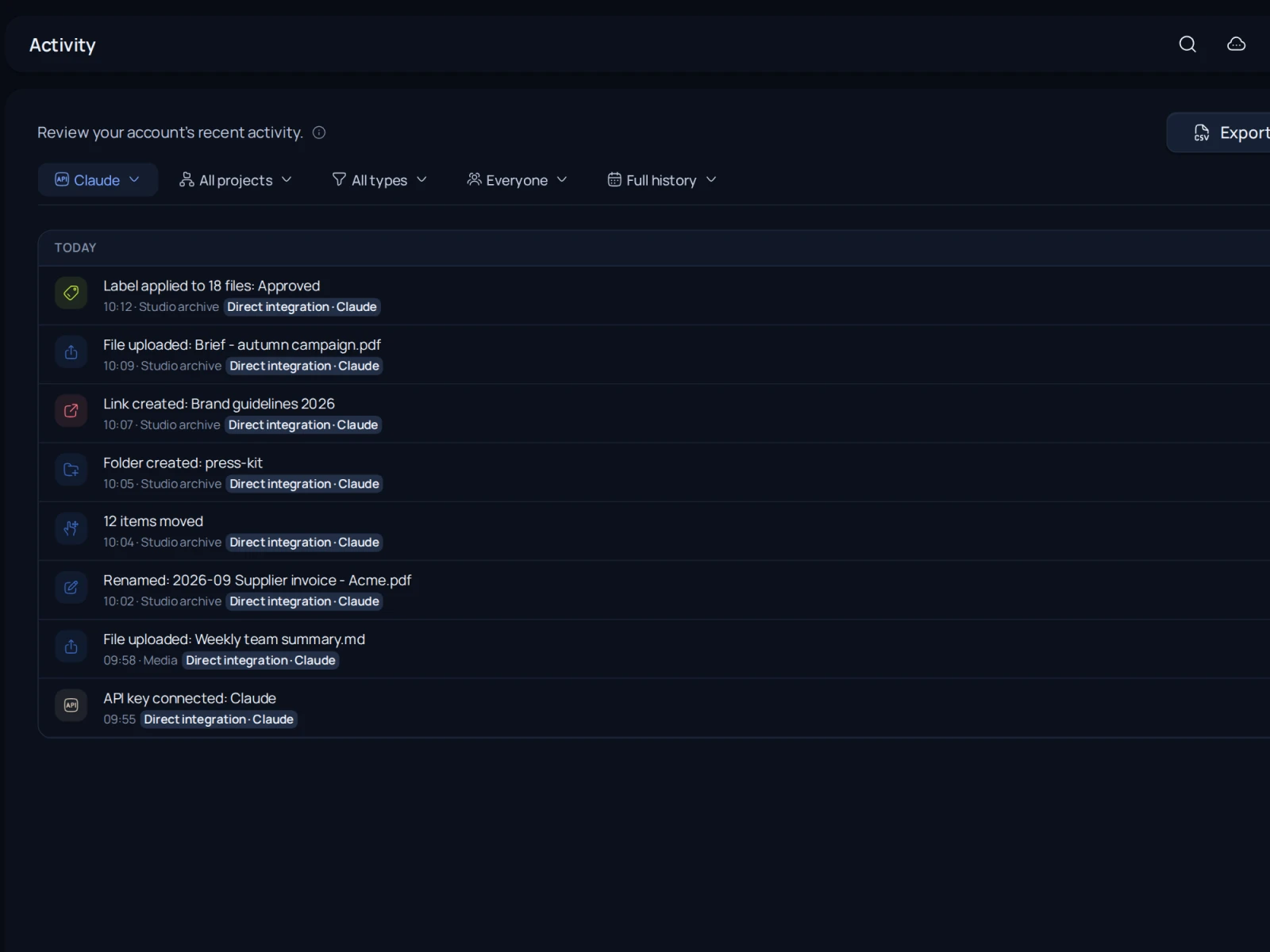
Everything in plain sight

What the assistant changes shows up in your activity.
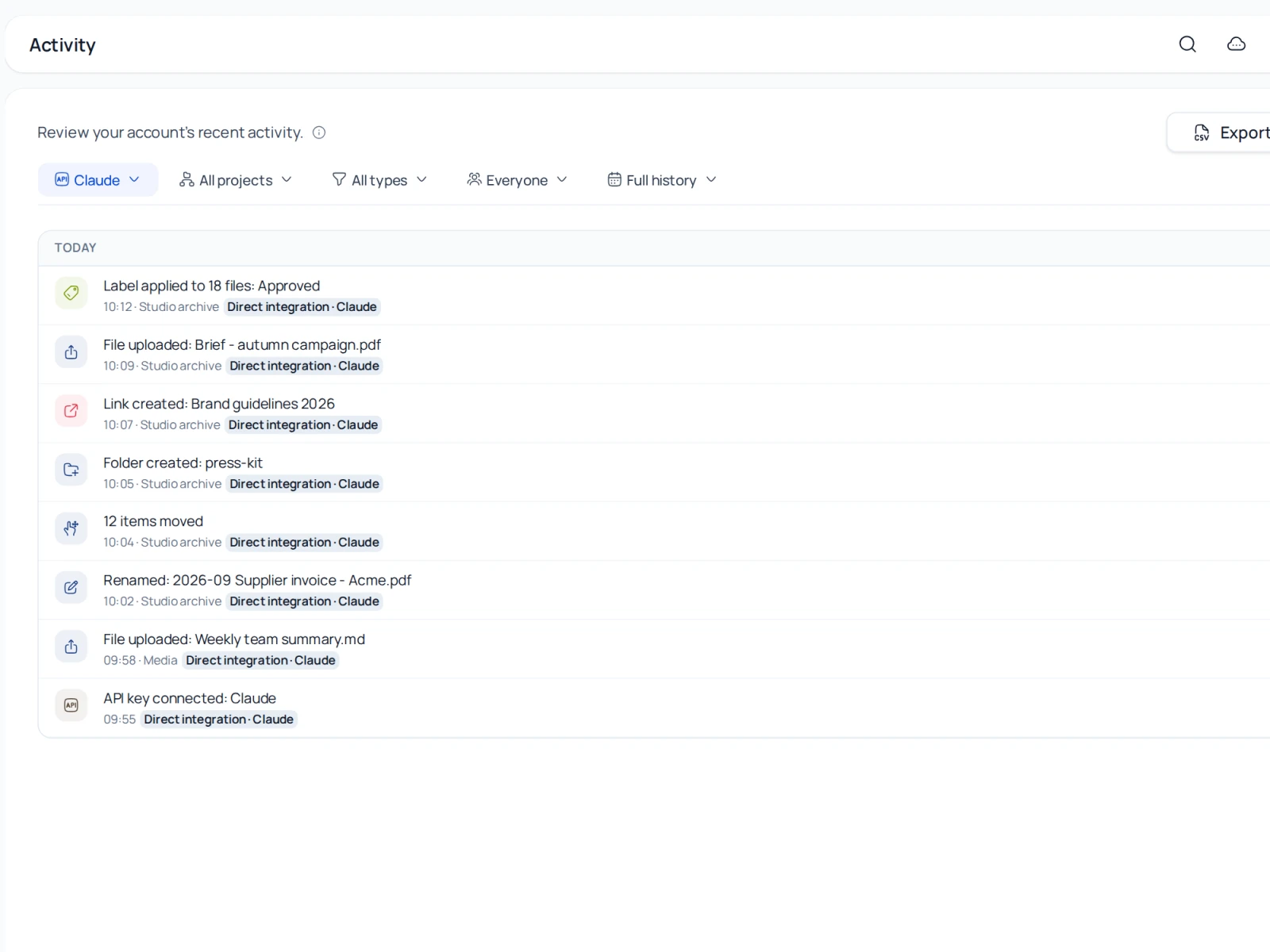
Recent activity in NubboRecent activity in Nubbo

How to get started

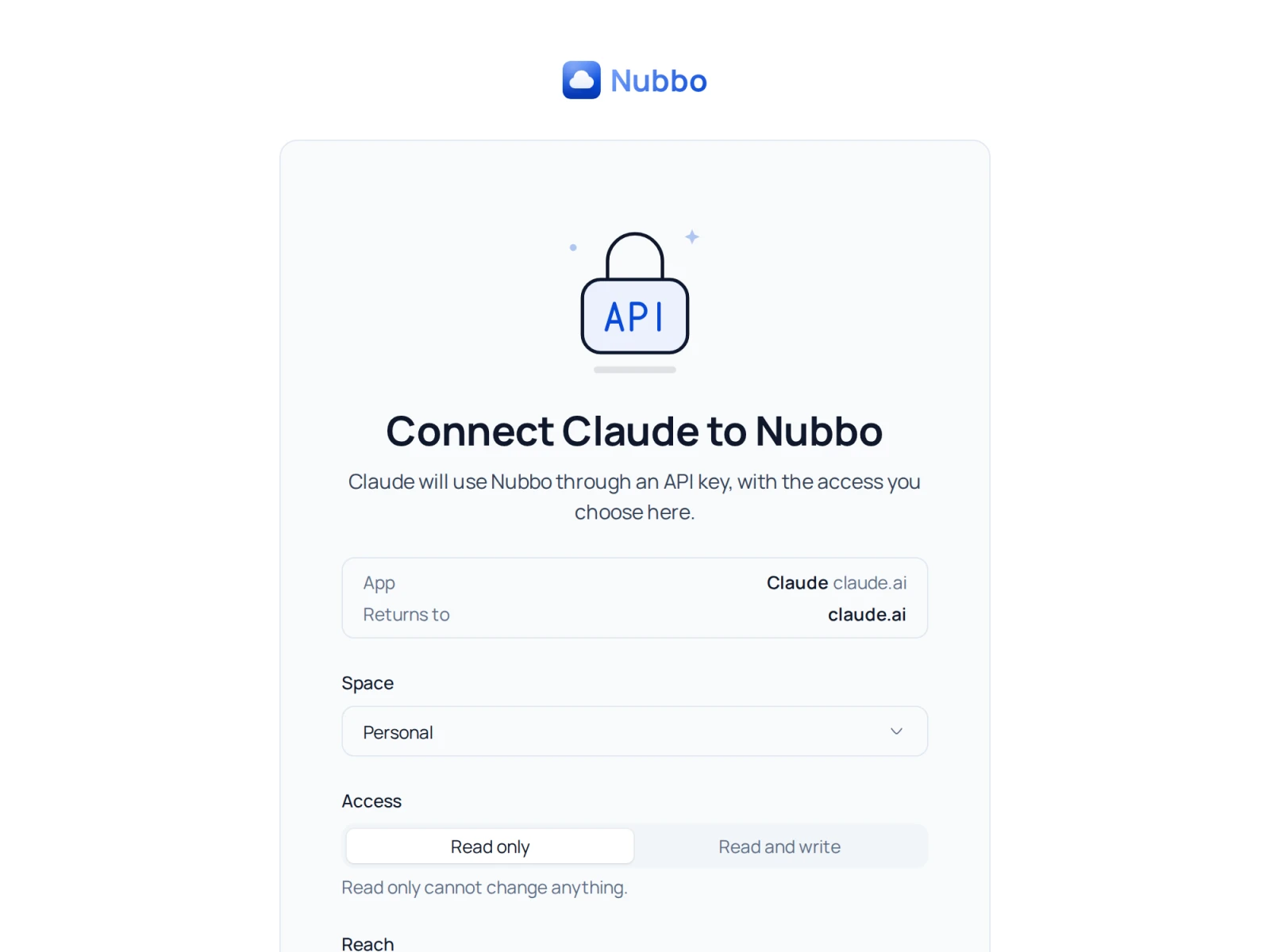
  1. Add the connectorCopy the address from Settings › API into your assistant's connectors.
  2. Sign in to NubboChoose the space and the access.
  3. Ask awayYour assistant only uses the access you chose.
Screen to connect Claude to NubboScreen to connect Claude to Nubbo

Your cloud, ready in a minute

Nothing to install, nothing to migrate. Start for free, with no card and no time limit.

  1. Create your accountSign up with your email and a password in seconds.
  2. Connect your storageAdd your S3 bucket or let our assistant create and set it up for you.
  3. Get to workManage your storage, share and receive files from the very first minute.
Works with