The Nubbo API is a REST API to work with your buckets from your own code: files, folders, links, inboxes, galleries, labels, projects and automations. In this guide you create a key and make your first requests with curl.
What you get
- Manage your Nubbo space from your programs, with keys that only see what you choose.
- Upload and download directly between your code and your storage provider.
- React to new files, inbox uploads and activity with the triggers.
Before you start
You need a Nubbo account on the Pro or Teams plan and a terminal with curl. In a team, API keys are created by the owner or an admin.
Step 1: create a key
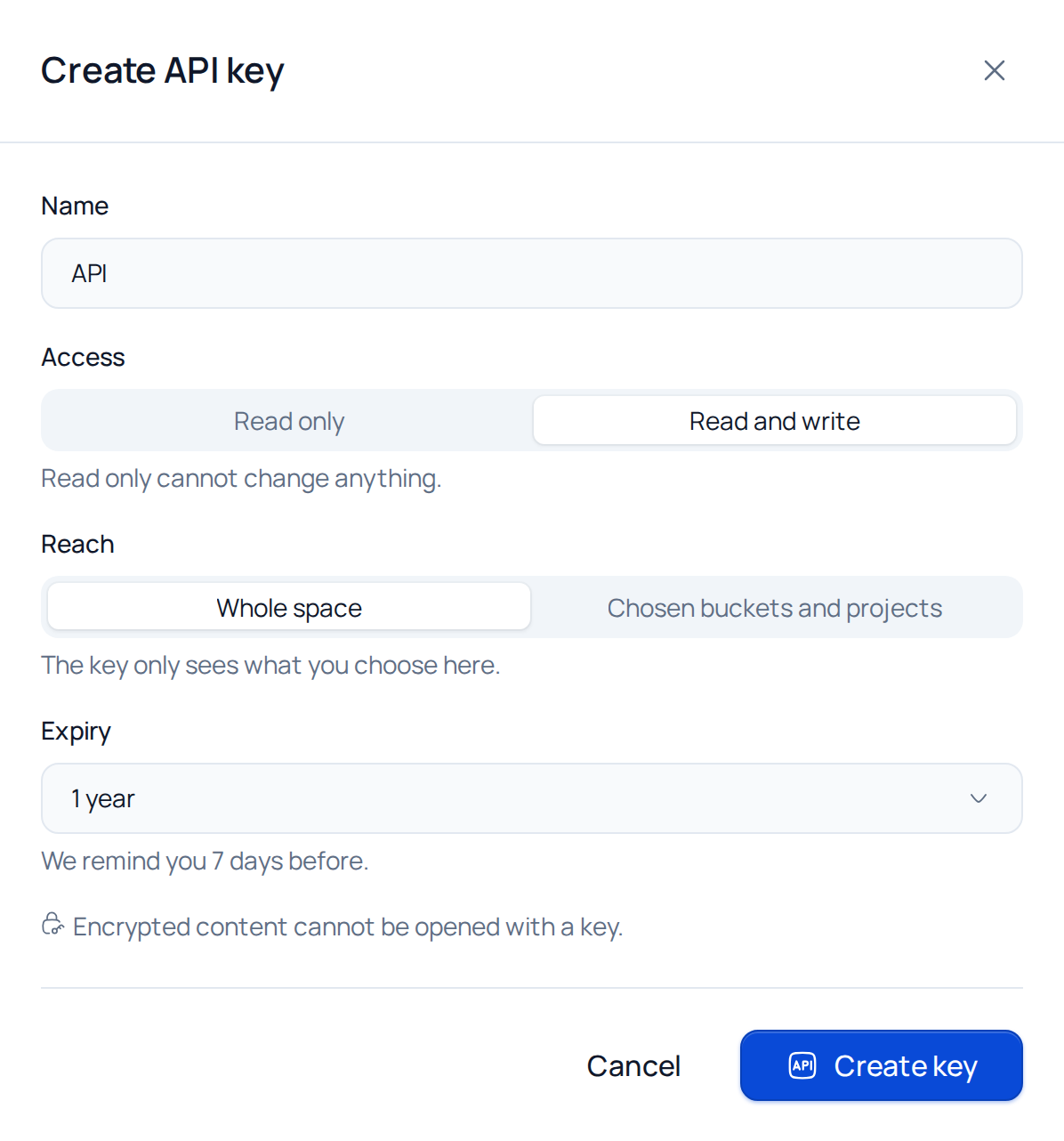
In Nubbo, open Settings › API (or Team › API in a team) and press Create API key.
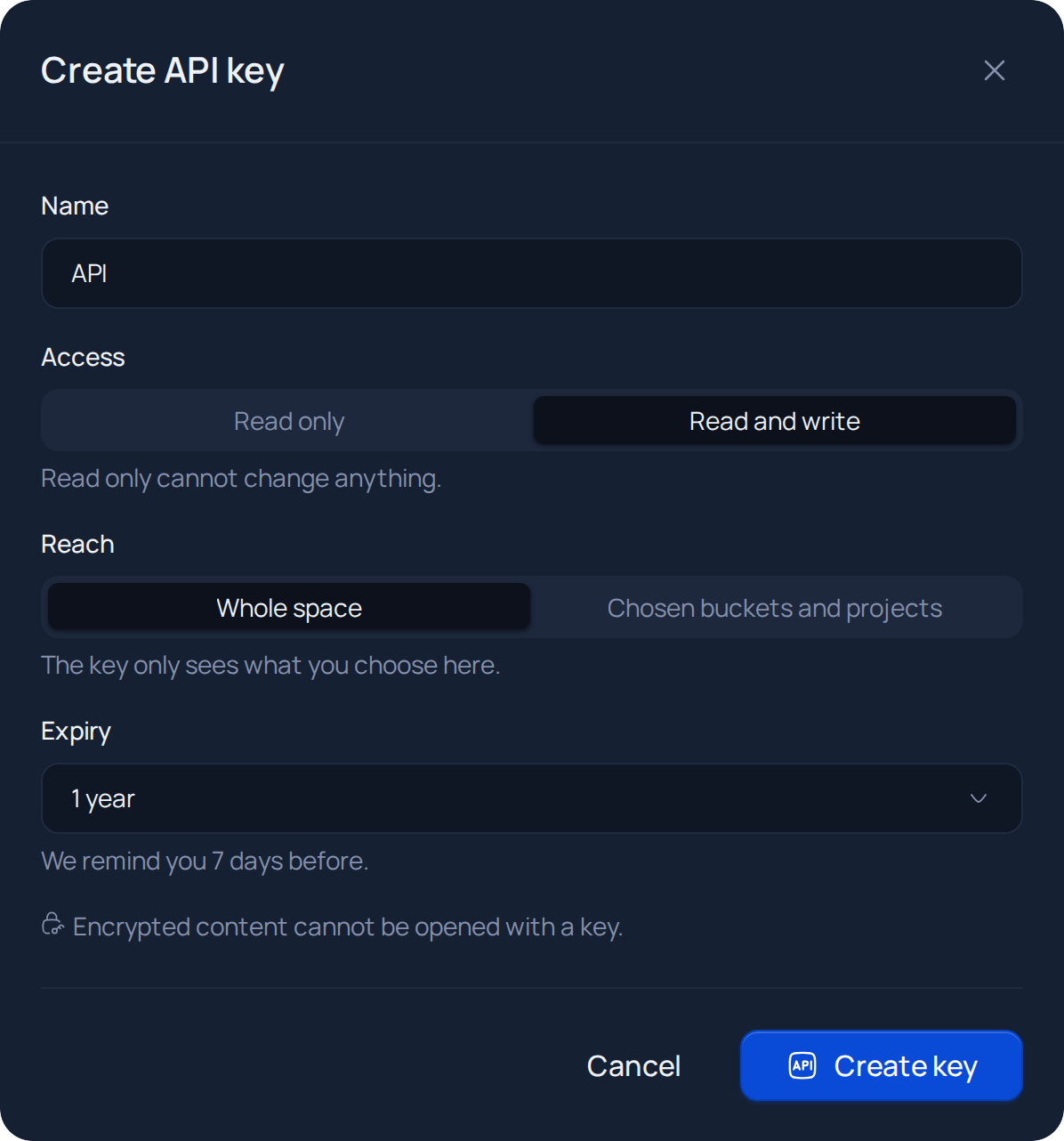
Give it a name and choose:
- Access: Read only or Read and write.
- Reach: Whole space or Chosen buckets and projects. The key only sees what you choose here.
- Expiry: 30 days, 90 days, 1 year or No expiry. Nubbo reminds you 7 days before.
Press Create key. Nubbo asks for your password to confirm it is you. With two-step verification on, it also asks for the code.
Copy the key and press I have saved it. It starts with
nbk_and this is the only time you will see it in full. Keep it on the server or in the tool that will use it, never in a web page.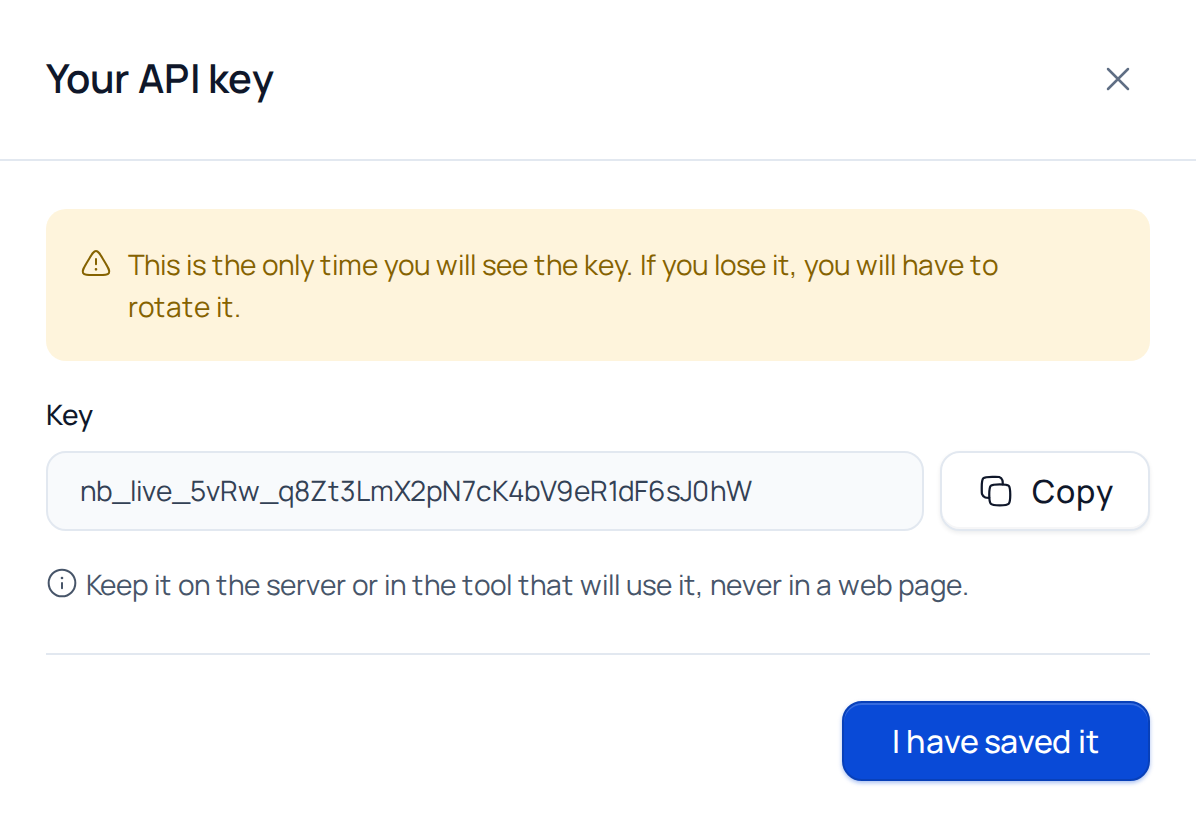
Step 2: your first request
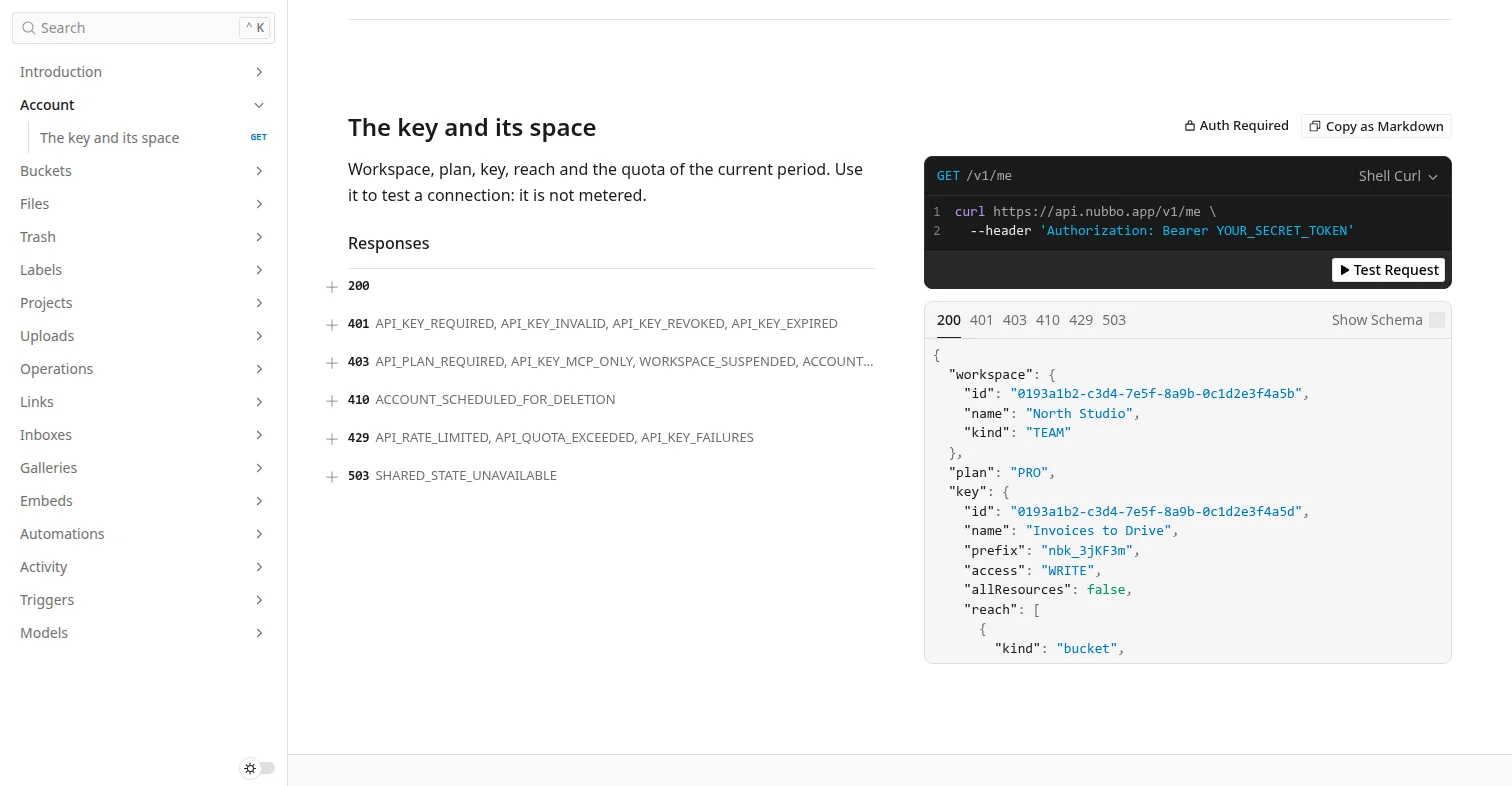
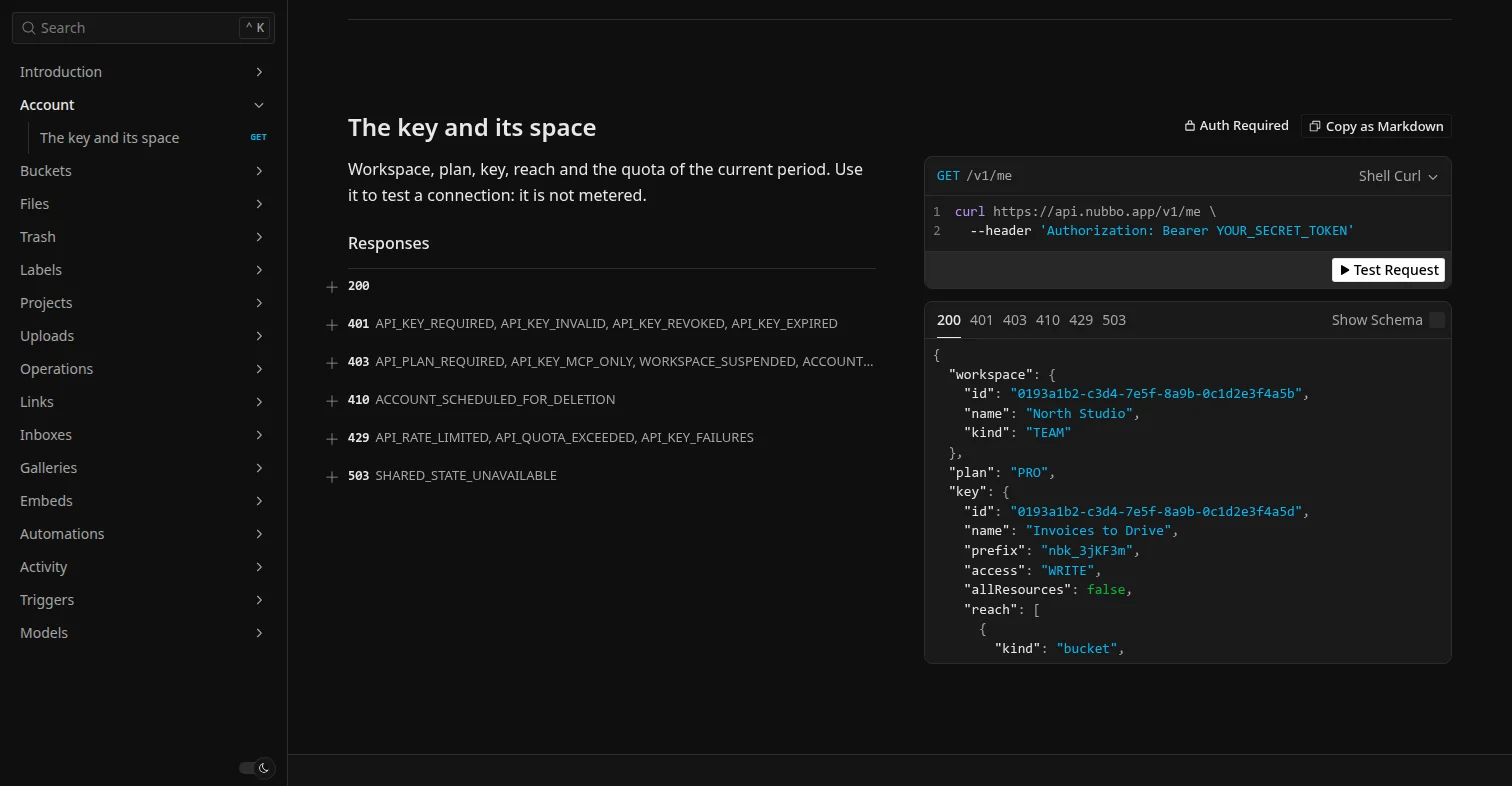
Send the key in the Authorization header of every request. Start with GET /v1/me, which uses no requests:
curl https://api.nubbo.app/v1/me \
  -H "Authorization: Bearer nbk_your_key"
The answer carries your space, your plan, the quota of the month and the key with its access and reach. This is an excerpt:
{
  "workspace": { "id": "…", "name": "North Studio", "kind": "PERSONAL" },
  "plan": "PRO",
  "key": { "name": "My first key", "prefix": "nbk_3jKF3m", "access": "READ", "allResources": true },
  "quota": {
    "requests": { "used": 0, "limit": 50000, "remaining": 50000 },
    "events": { "used": 0, "limit": 20000, "remaining": 20000 },
    "ratePerMinute": 60
  }
}
Then list your buckets and the files of a folder:
curl https://api.nubbo.app/v1/buckets \
  -H "Authorization: Bearer nbk_your_key"

curl "https://api.nubbo.app/v1/buckets/<bucketId>/files?prefix=invoices/" \
  -H "Authorization: Bearer nbk_your_key"
Lists return data and nextCursor. For the next page, send that value in cursor. When nextCursor is null, there is nothing more.
Step 3: the reference
In Settings › API, press View documentation, or open api.nubbo.app/v1/docs. Every resource is there with its fields and examples. The OpenAPI document is at api.nubbo.app/v1/openapi.json.
Uploads and downloads
Files do not go through Nubbo. To upload one, start the upload with POST /v1/buckets/{bucketId}/uploads, send the file to the presigned address it returns and finish with POST /v1/uploads/{uploadId}/complete. To download, ask for a link with POST /v1/files/{fileId}/download-link and download it from your provider.
Limits
| Pro | Teams | |
|---|---|---|
| Requests per minute per key | 60 | 120 |
| Requests per month | 50,000 | 100,000 + 10,000 per seat |
| Trigger events per month | 20,000 | 50,000 + 5,000 per seat |
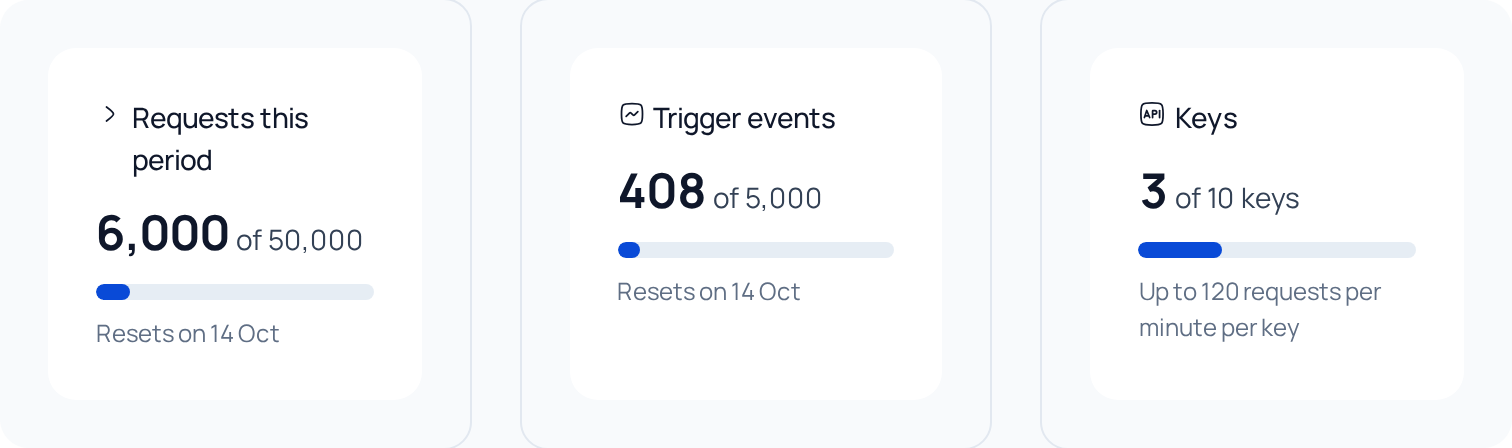
The quota belongs to the space and resets with each billing period. GET /v1/me, trigger polls and 401, 429 and 5xx answers do not count as requests. Each event a trigger delivers counts as a trigger event. Every answer carries the X-RateLimit-Remaining and X-Nubbo-Quota-Requests-Remaining headers, and Settings › API shows the usage of the period.
If something fails
API_KEY_INVALID,API_KEY_REVOKEDorAPI_KEY_EXPIRED: the key is not valid, was revoked or has expired. Check the header or create another key.API_PLAN_REQUIRED: the key’s space does not include the API. It comes with the Pro and Teams plans.API_KEY_READ_ONLY: the key is read only. Create one with Read and write.API_RATE_LIMITED: too many requests with this key. Wait the seconds inRetry-Afterand try again.API_QUOTA_EXCEEDED: the space has used its monthly limit.details.resetsAtsays when it resets.
Every error carries a requestId. Include it if you write to us.
More on the Nubbo API. To use it without writing code, follow the Zapier, the n8n or the Make guide. To use it from your AI assistant, see how to connect Nubbo to Claude, ChatGPT or Cursor.
Frequently asked questions
Which plans include the API?
Pro and Teams. On Free or Personal, requests answer API_PLAN_REQUIRED.
Can I read encrypted files with the API?
No. Encrypted items show up without a name, path, size or type, and any change to them is refused with API_ENCRYPTED_CONTENT.
What happens if I repeat a request after a network failure?
Send the Idempotency-Key header on your POST and PATCH requests. For 24 hours, repeating the same request returns the first answer and creates nothing twice.
Will the API change without notice?
No. A breaking change ships as /v2, and /v1 stays for at least 12 months with the Deprecation and Sunset headers.
Sources
Steps checked against these pages.