Edit Code and Markdown without leaving Nubbo: Built-in Editor
Until now, opening a README.md, a config.json or a .py script in Nubbo meant downloading it, editing it in another tool and re-uploading. Today we’re shipping the built-in editor: hit Edit on any code or Markdown file and start typing straight into your bucket, no disk round-trip.
What changed
The file browser preview now recognizes editable files. Open a .ts, a .yml, a .json or any other code or text file and an Edit button appears next to Download. Markdown files open as a rendered preview by default with the option to jump into edit mode. Every save goes directly to your storage provider via a PUT, the same way uploads already do.
Code editor
The code and text editor uses Monaco, the same engine that powers VS Code, with automatic language detection by extension (100+ languages out of the box) and full syntax highlighting. If the extension is not recognized, it falls back to plain text mode, so any .log, .csv or extensionless file is still editable.
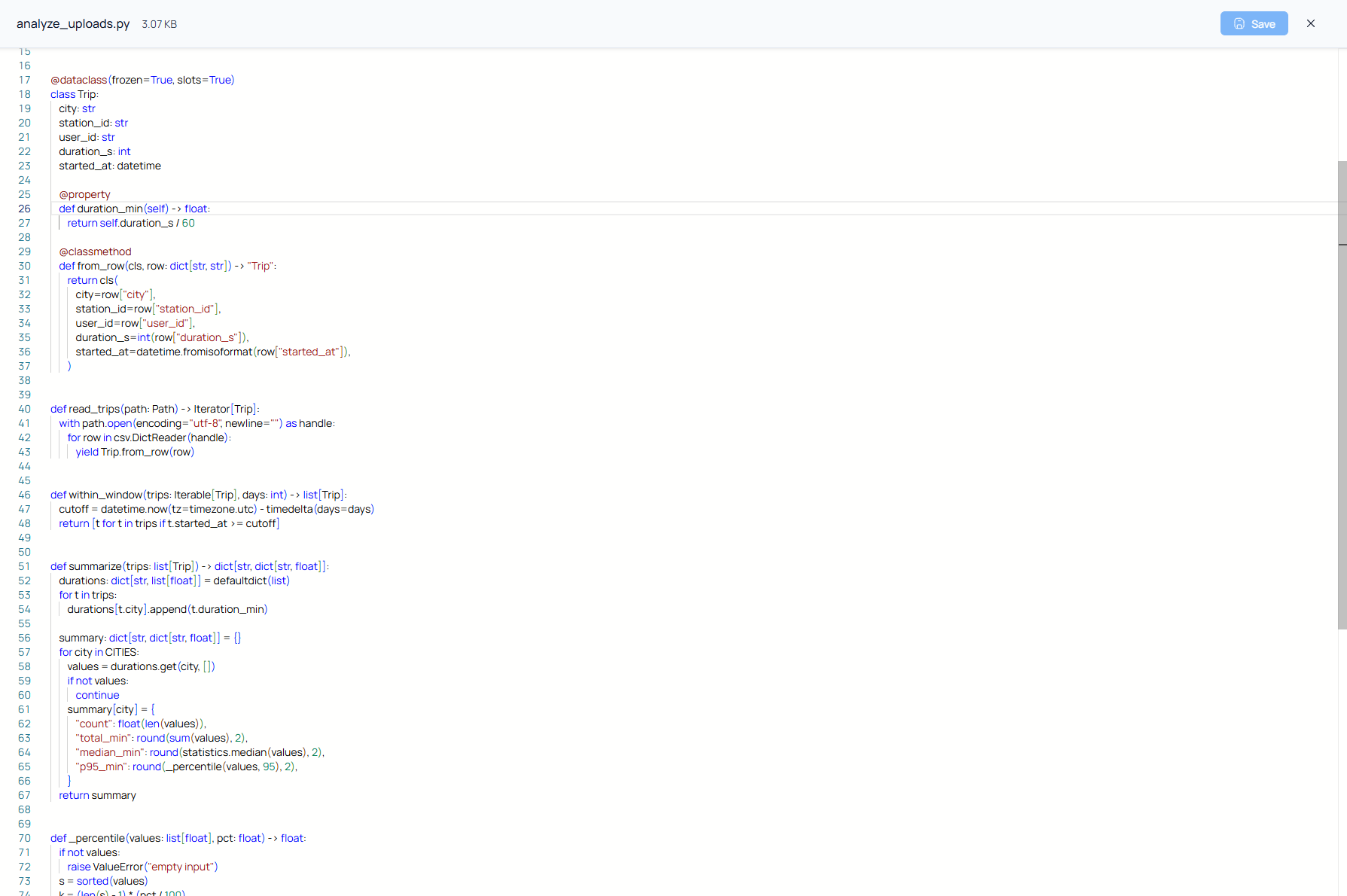
What you expect from a modern editor is in there: find and replace, multi-cursor, automatic indentation, VS Code keyboard shortcuts, word wrap, font-size control and a minimap. And because Monaco is lazy-loaded, it does not ship until you open your first file, so the rest of the app stays fast.
Markdown: editing and preview
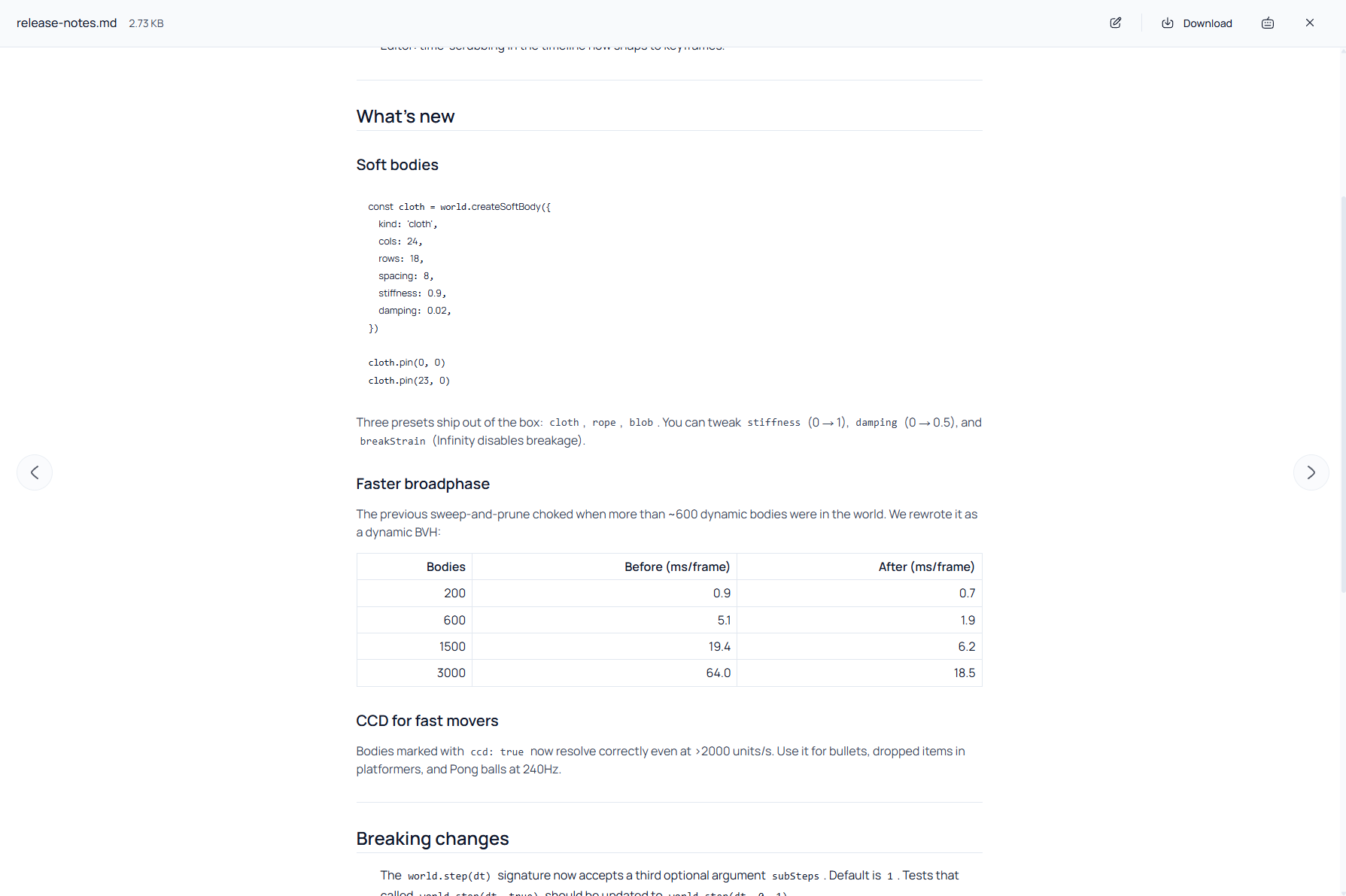
Markdown files open in read mode first, with the content rendered: headings, lists, tables, syntax-highlighted code blocks, inline HTML and blockquotes. That is the default when you just want to glance at a README without touching it.
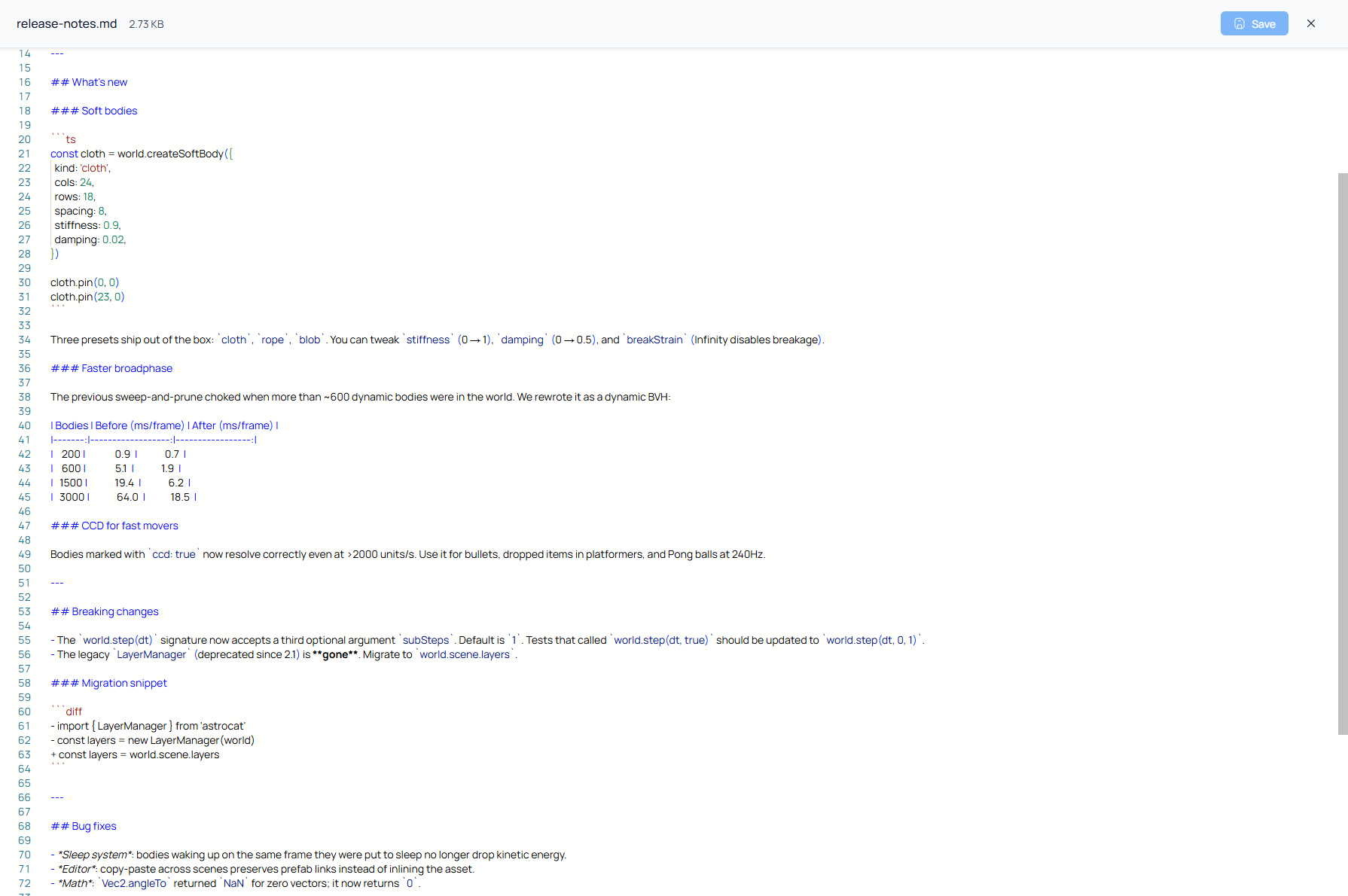
When you click Edit, the file opens in Monaco in Markdown mode, with syntax highlighting and the same shortcuts as any other file. Edit, save, and the rendered preview reflects your changes the next time you open it.
Safe save against concurrent changes
When you open a file to edit it, Nubbo remembers its version at that moment (via the S3 ETag). If by save time the file changed outside Nubbo (another tab, another device, a teammate), a dialog warns you about the conflict. Your choice: reload to discard your edits and pull the new version, or close the dialog and copy your work somewhere safe before continuing. Nothing is overwritten blindly.
Details that matter
- 25 MB per-file cap. Editors get slow on huge files and that’s not the use case. If you go over, we offer to download instead.
- Unsaved-changes guard. Closing the modal, navigating away or refreshing with pending edits triggers a confirmation before you lose the work.
- Locale aware. The editor UI (menus, search, panels) follows the language you have set in Nubbo, English or Spanish.
- Zero storage on Nubbo’s side. Like the rest of our transfers, editing uses presigned URLs to read and write directly between your browser and your provider. Nubbo never copies, reads or stores the content.
Want to try it? Sign in to Nubbo and open any code or Markdown file from your buckets.